Showing posts with label kathyanne white. Show all posts

Thursday, June 25, 2015

KathyAnne White—Classes on Skillshare!

Several Months ago I started teaching some classes on Skillshare. I was already a member and took a lot of classes on digital programs I am learning. Plus I love to see what Graphic Designers are doing with Illustrator. There are a multitude of classes to get your creative juices going. 

Last night I published another new class- to Skillshare

Blend Images on your iPhone, iPad or iPod with Image Blender


You can sign up or view the Image Blender Class, read the class description and watch the introduction video at this link.


Here's the bonus— I am giving away a premium membership on Skillshare to one lucky student that signs up for the Image Blender class and posts a project by July 31st! 

Although Skillshare is a membership site you can use the site for 14 days if you have not been there before. You could take any of my classes for free in that 14 days. 

For a look at my other classes on Skillshare—

Design Repeat Patterns in Photoshop an use them to Enhance your Images!

To view the Patterns Class, read the class description and watch the introduction video   follow this link


Two classes on my Digital Image Transfer process are also on Skillshare!

Digital Image Transfers From Screen to Surface
 To view the Digital Image Transfers Class, read the class description and watch the introduction video follow this link


And my first class published on Skillshare—

Create Impressive Image Transfers from Your Photographs!

To view this class, read the class description and watch the introduction video  follow this link


Check out my classes on Skillshare as you follow the links you will be able to view the class video list, class description and the video introduction of the class. I'd love to see you there. My list of links will get you right to the class of mine you want to see!!
ENJOY 


Friday, March 27, 2015

Torching Metal—Develop Surface Variations


This video workshop takes you through my process of heating metals for interesting design. During the process the colors develop from the temperature of the flame. Different metals will create different colors. The palette of color is not extensive, mostly golds, reds, browns and blues depending on the metal and the temperature applied. Play with this to see what you come up with.

For safety be sure to wear protection for your face and eyes- goggles and/or face protection. Heat resistant gloves are helpful. 

Always think of your safety when using torches. Take precautions to be safe. Pick an area free of items that could start on fire when working. I always have a fire extinguisher within reach.

KathyAnne Art Members log in here to access this workshop.

If you are not a KathyAnneArt member go to this url to join us. 
As a member of KathyAnneArt you will have access to over 50 video tutorials.
Extreme Texture Images  
Video Tutorials on the site
A large assortment of royalty free images and more.
All for free with a yearly price of $35.00


Friday, February 27, 2015

Construct Coils Using Metal Wire


In this video workshop I will share one of the ways to create wire for your artwork.
My work has evolved over the years to embrace using metals in fiber like ways. This
workshop is right along those lines. By using simple plastic knitting looms—you will see
how easy it is to create different size coils from wire to add to your mixed media
configurations. (one quick idea is to anchor the wire by pressing a bit of the coil into
gel medium or thick paints)

This KathyAnne Art tutorials is available to members - log into the member section at
Once you are in the member section go to the tutorial section to download the pdf.

Non KathyAnne Art members- Join us at this url You will have access to over 50 mixed media tutorials.


Thursday, November 27, 2014

Add and Embellish Text on an Image


Add and Embellish Text on an Image in Photoshop Touch


Many of us look for new ways to express ourselves when it comes to writing cards and other types of visual material. For Thanksgiving this year, I created an image for my email along with this tutorial for my members. The tutorial — a 15 minute video gives you an idea how the image was composed in Photoshop Touch. 

This is just a glimpse of what can be designed. Text can be used in many ways in images and will be looked at in future tutorials, but for now you will be introduced as a door is opened for your creative experimenting. 

Photoshop Touch by Adobe is available on Apple and Android Devices along with Kindle Fire and Sansung Galaxzy Note for Phone. Check your device with Adobe if you have questions about compatibility. 

To access this video go to this URL on Vimeo


Sunday, October 5, 2014

Digital Transfers in 3D Spaces


This video tutorial takes a look at my process using Transferiez on 3D surfaces. Depicted in the video are transfers onto steel sculpture. The steel used is 20 gauge cut into freestyle shapes with a plasma cutter, formed by using a vice and other metal techniques. Joined by rivets. This tutorial is not about forming the metals but about applying transfers to the surfaces. This technique is possible to use on many 3D Surfaces, not just metal.

The sculpture used in the video is at the early stage of being constructed. Once all the surfaces have been finished other 3D elements and wires will be added.

To purchase this tutorial for $9.95 click here.

These are photos of the works in progress from this video workshop.

Material for the base of the sculpture is 20 gauge steel. Digital Transfers with Gilders Paste in areas make up the color and image portion. 
Some digital transfers on aluminum have been added to the surfaces in places.

To be added are more transfers and other elements and wire configurations. When they are finished, the final images will be posted here.


Tuesday, May 27, 2014

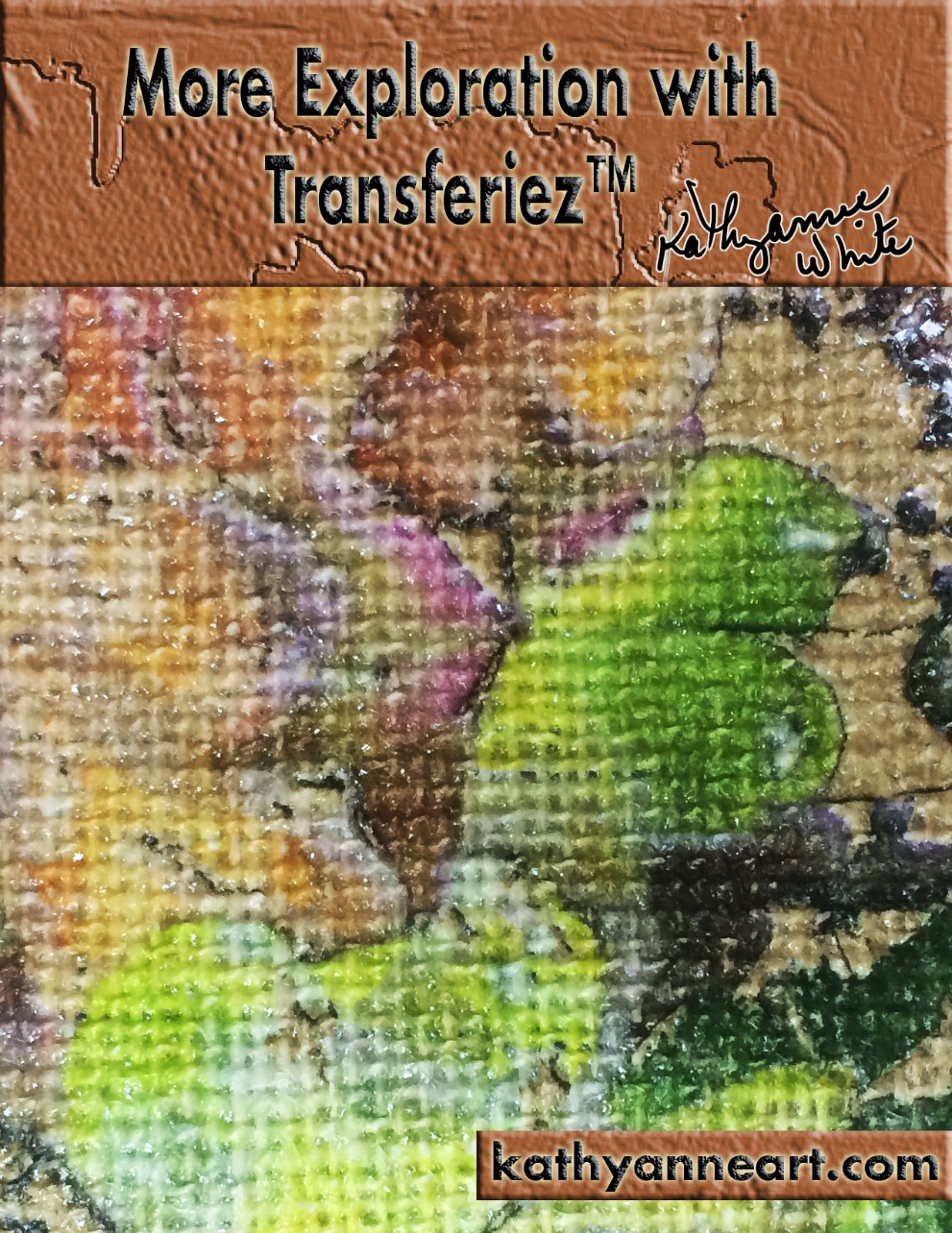
More Exploration with Transferiez™


This is my second workshop using Transferiez™ an image transfer medium from inkAID™. During this workshop we explore burlap, fragile paper, 16 gauge steel, rusty metal, brass and ideas for metal after creating a transfer. The workshop PDF along with the 26 minute video will ease your way to working with the above substrates. 


If you are not aware of this product and my first workshop- you may access that workshop at this link.

Transferiez™ is an impressive product that is enlightening to explore. "What if's" abound and so far my success has been wonderful. One of the great things about using this transfer medium is the array of surfaces that are now possible to print. I am enthusiastic about going forward and using this medium to bring my images to countless surfaces that are difficult to digitally print.

Enjoy this look at more ideas in using Transferiez™.

If you are a member of KathyAnne Art please sign in here
then access the video—PDF workshop here

If you are not a KathyAnne Art member you may purchase this video workshop for $9.95 


Wednesday, April 23, 2014

Metal Elements for Mixed Media

For this video workshop we will look at using metal wire, digital prints on assorted types
or metal/metal mesh-along with other elements that mix with your mixed media art. This is a process workshop not a project workshop. I will share techniques that I have been using in some of my current work with metals.
As far as supplies go- here is what you will see in this video—
* Hardware Cloth
*Digital prints on beverage cans—printing plate—metal mesh (brass)—36 gauge
*Wire—19 gauge black and heavy weight wire unknown gauge, it is just sold as barb wire in my hardware store.
*Hole punch
* Small dowel rod
*Pliers
*Found rusty objects
*Dremel Tool

KathyAnneArt Members log in then go to this URL to download the workshop for free!

Non Members to sign up for a year for $35.00—(tutorials are free to members).
click here  OR purchase this workshop for $9.95 at this link.

Wednesday, February 26, 2014

Experimenting with Surface Texture


In this video workshop we well look at a couple of ways to create simple textures on a surface before printing. Fabric, paper and canvas are a few of the surfaces that work well with these techniques. As you add texture keep it thin enough so the surface will fit safely through you printer. 

Once the textures are dry, apply the precoat of your choice—use a carrier sheet and print. 
For this workshop I used the following items:
Continued in workshop pdf.....


KathyAnne Art Members log in here
then go to this url

Non Members you can purchase the workshop at this link for $9.95

Friday, December 13, 2013

iPhone—iPad Art


This months tutorial is a video with accompanying pdf. The video is on YouTube and Vimeo and the PDF is free on my KathyAnne Art Site at this link.

Just add the icon to the cart and check out with a zero balance. Your order number will arrive by email. Go to the site to log in under non member with your email address and order number and download your file. It's that easy!  Hope you enjoy it!!!

Click below to watch the video!!


Sunday, October 27, 2013

Preparing and Digitally Printing Lightweight Metals Part 2

Continuing with Part Two of "Preparing and Digitally Printing Lightweight Metals" the workshop takes on a video format. This allows viewers a personal look at the print process and all it entails.  Photoshop CC is used for image manipulation. The video illustrates the result of the actual verses the printed images. Using my Epson R3000 I demonstrate how to load the surface through the front feed. This second part of the workshop concludes with varnishing the finished prints.

The accompanying Pdf for video access also contains a supplier list for the various supplies.


KathyAnneArt Members log in here After log in use this url to find the workshop.

Non members you can purchase this workshop here for $9.95. You will receive the workshop access by email within 24 hours.

Friday, September 27, 2013

Preparing and Digitally Printing Lightweight Metal


Exploring digital printing on different types of metals inspires me. Beverage cans have long been my metal of choice and are used in many of my art assemblages. Printing plates are another enjoyable surface to print digitally. The subject of this workshop will be other types of lightweight metals in the 36 gauge range. Copper, brass and aluminum in 36 gauge are really quite nice to print and then work with after printing. Their pliable characteristic adds to my interest for investigating possibilities after they have been printed. 

This is Part One of a Two part workshop. The first part is about preparing the metal and ideas on image selection. The second part is the print process and all the particulars.

KathyAnne Art members log in and go to this url to access the workshop for free.

Non members to purchase this workshop for $9.95 click here. You will receive your pdf by email within 24 hours of purchasing.

Wednesday, August 28, 2013

Constructing Studies with Digital Prints on Alternative Surfaces

by KathyAnne White

My studio is continually stacked with surfaces for printing and surfaces already printed. Most of the time my four largest studio tables— 4 x 8 foot (10.160 x 20.320 cm) are end to end with an array of digital prints in various stages of assemblage. For this workshop I will share my after printing process. This process workshop allows you to observe ideas
 for creating possibilities. Whether you work with digital prints or other types of mixed media this is about getting creative by doing studies to push your own creative process. 

When working on a new body of work—studies assist me with hands—on—creating.

Constructing Studies is a 14 page PDF workshop. Be sure to browse this blog for descriptions of many of the workshops on KathyAnne Art. If you are not a member you can take individual workshops for $9.95.


To access this workshop—
Members of KathyAnne Art log in here
Then follow this url to the workshop.

Non-members to purchase this workshop for 9.95 

Friday, June 28, 2013

Adding Textures and Layers in Photoshop Touch for iPad


by KathyAnne White

Using Photoshop Touch when you are on the go is a great way to create and manipulate images captured on your devices. Now with Adobe's Creative Cloud you have access to all the Adobe software—your files can also be stored and shared in the cloud. Continuing what you started on your iPhone or iPad is easily accomplished using other parts of the Adobe software.

For this workshop we will explore manipulating an image by adding images, making selections and playing with some of the features in Photoshop Touch to add surface texture.

Most of the time when I create an image to print, a photograph is the base. The best thing for me is to work through ideas moment to moment and let my image evolve. Keeping in mind the chosen surface to be printed, my image manipulation focuses around dimension and texture. If the iPad is my tool of choice for messing around with an image, I usually work with Photoshop Touch for image manipulation. There are limitations, especially if you are used to creating with Photoshop. No worries, it's still worth the effort to get familiar with this interesting app.


Members of KathyAnne Art download the workshop for free after log in

Non-members can purchase this workshop for 9.95 here.

Tuesday, April 30, 2013

iPad Play with Paper 53

by Kathyanne White


This video workshop will take you through the basics of Paper 53. Paper 53 is an app for iPad. You can visit their site at www.fiftythree.com/paper


From their site you will be able to find all the information on the tools. From this workshop you will see me create a simple sketch. You receive the a booklet in app to go through on what the app can do. Plus there are complete instructions to scroll through inside the app. 

For free you receive the pen tool and a basic color palette. Everything else is an in-app purchase. 

This is truly one of my favorite apps. It’s where I go first to play on my iPad. The video included in this workshop shows you some of the tools in action. I will page through one of my journals, show you how to load a personal cover and play with a few of the tools.A part real time and timed lapse video will guide you through drawing in my loose style on this app.


Members of KathyAnne Art download the workshop for free after log in—here—

Non-Members you can join KathyAnne Art here for $35.00 a year. With your membership you receive 12 months of member workshops and have access to over 60 other workshops that have already been workshops of the month. 

OR

You can purchase this workshop at this link and you will receive the pdf file to access the workshop by email within 24 hours.  $9.95

Saturday, March 30, 2013

Simple Gel Medium Skins


March Workshop of the Month for KathyAnne Art


This video workshop will take you through my process of creating a basic gel medium skin to use for digital printing. This is the simplest form of a skin for printing. You will see the way skins are created and attached to a carrier sheet.

Digitally printed skins can stand alone and are also wonderful additions to all types of mixed media artwork. Try a few and see where this process takes you. Get creative with uses for your printed skins. 

Members log into the KathyAnne Art site and go to this url to access the workshop.

Non members you can purchase this workshop for $9.95 by clicking here.  Your workshop will be emailed to you within 24 hours.

Wednesday, February 27, 2013

Variations on Digital Printing Dyed Fabric

Last month the workshop of the month for KathyAnne Art members 
was about digital printing on colored paper. This
 month we will look 
at digital printing on dyed fabric.  
This workshop is free to members.  Member log into the site and then go to this url for the workshop.
Non members if you would like to purchase this workshop for $9.95 click here.

Wednesday, January 9, 2013

Digital Printing Alternative Surfaces: Colored Papers

Digital Printing Alternative Surfaces: Colored Paper Workshop
by Kathyanne White

Digital printing on colored paper is a magnificent way to develop 
fascinating printed images.  Some papers such as lace are 
fragile to print and many custom hand made papers could
 fall apart when they get wet.  If you coat your fragile paper 
with single strokes and lift the paper quickly and gently to place on flat
 plastic to dry, you shouldn’t have any problems.   This workshop will 
focus on two types of colored paper one fragile and one sturdy. 
Both papers have appealing surface texture before adding the precoat.

Members of KathyAnne Art Log in to the site and then go to this page to download the workshop

Non member click here to buy the workshop for $9.95.

Tuesday, November 27, 2012

Digital Printing Alternative Surfaces:Tyvek

Tyvek is an incredible surface to print.  The prepared tyvek I used is available at Digital Art Supplies in San Diego.  This type of tyvek creates a beautiful matte finished print.  Tyvek has been one of my favorite surfaces because of it's melting properties.  In this video workshop I show how I work with tyvek and then you go your own way to see how you like to heat distress this surface.  There are some finished pieces shown in the video and also the pdf written information.

Members log in and go to this url to access the workshop.  Non members you can purchase this workshop for $9.95 by clicking here.   Your workshop will be emailed to you within 24 hours.

Yosemite National Park Images

Yosemite National Park is one of the most amazing places on this planet.  Trees have long influenced my work and Mariposa Grove in Yosemite is always a special place for inspiration.  I have many favorite spots depicted here in the Fall.  This was the first time I was in Yosemite at this time of year.  It was stunning and the wether amazing for late October into early November.

The following photographs have been posted on my KathyAnne Art Website.  They are available royalty free for members and $3.00 an image for non members. Visit the Yosemite Collection here and another page here to download. 

 Forest on the way to Mirror Lake

 Trail to Vernal Falls

Mariposa Grove
 Tuolumne Grove

Tuolumne Grove

 My favorite spot on the Merced River to find El Capitan reflections

 My favorite spot on the Merced River to find El Capitan reflections
Another good spot for El Capitan reflections

On the trail to Vernal Falls